Amplience credits in Workforce
Amplience credits are needed to use Workforce features. Credits are allocated per organization and you'll choose a yearly credits plan when you sign up for Workforce. You can also top up your credits at any time as your usage varies.
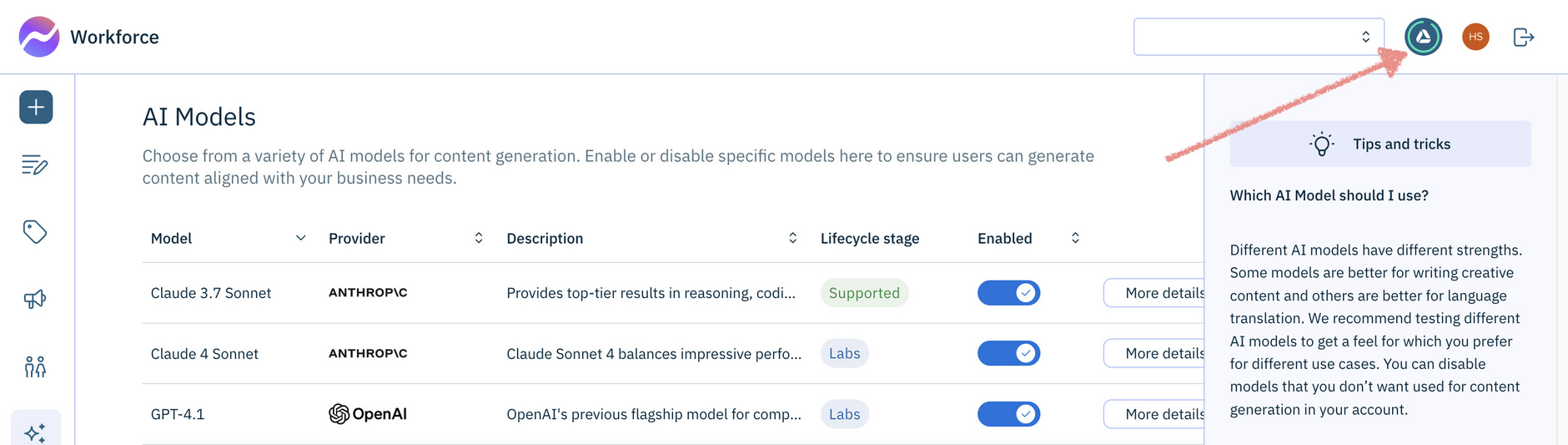
You can see how many credits you have available by hovering over the credit balance logo in the top right corner of Workforce.
How credits work with WorkforceLink copied!
With Workforce, each time you generate content or run a flow, you will use one or more Amplience credits. The number of credits you're charged depends on the task you perform and a number of other factors including:
- The AI model you use
- The types of action in a flow
- The length of the content you want to create
- The type of content you're creating
- The amount of product information or images provided
For an overview of Amplience credits and how to get them, see Amplience credits.
Viewing your credit usageLink copied!
Where can I see my credit usage?Link copied!
At the top right of the Workforce window. Your organization administrator can also view credit usage in the Account Management Usage tab.
Why does my Credit report show multiple entries for a flow run?Link copied!
Each time a flow run is paused or stopped, credit usage is calculated and recorded. This can result in multiple entries for a single flow run in your Credit usage report.
Understanding credit usageLink copied!
How is credit usage calculated?Link copied!
When generating content directly from Workforce templates requires one or more Amplience credits, depending on the options you've chosen.
Credit usage varies based on what tasks are performed and configuration. For more information, see How credits work.
Can I estimate credit usage?Link copied!
Yes. To estimate how many credits a flow is likely to use, build and run the flow, then review your Credit usage report to see how many credits were consumed. While this won’t provide an exact figure - as usage can vary depending on inputs and configuration - it gives you an indication of credit consumption for the flow.
You can use same approach for estimating how many credits will be consumed when generating content from a template.
Are credits fixed or variable?Link copied!
Credit usage varies depending on which types of actions are included in your flow and how they are configured.
Do all actions use credits?Link copied!
No. Most actions consume credits, with the exception of helper actions.
Do all flows consume credits?Link copied!
Yes. Even if a flow doesn't include any AI actions, a nominal credit usage amount is deducted from your balance.
Credit balance and flowsLink copied!
Will a flow run if I don’t have enough credits?Link copied!
Yes. Flows do not check your available credit balance before they start.
What happens if I run out of credits?Link copied!
If your credit balance reaches or goes below zero, flows will continue to run. This ensures that your critical business processes are not interrupted.
A negative balance simply indicates that you have exceeded your available credits.
Why does my credit usage report show a negative balance?Link copied!
A negative balance means you have exceeded your available credits. Flows continue to run even when the balance is negative.
Credits and cancelled or failed runsLink copied!
Are credits charged when a flow run is cancelled?Link copied!
Credits will be charged for cancelled flow runs in the following instances:
-
The flow entered a paused state (Human Review for example) before it was cancelled. Any tasks that have consumed credits up to the point of pausing will have been processed and therefore charged.
-
If an action has issued an error, any tasks that have consumed credits prior to the error will be deducted from your credit balance.
For example, if a flow contains a swatch action and swatch has been extracted, but then an error occurs. In this case, credits for the swatch extraction will deducted from your balance, and this will show as an entry on your Credit usage report - no other charges will be made.